
Selecting a New CIS
Choosing a new customer information system (CIS) for your business is a major decision. A CIS is the backbone of utility operations, managing everything from your billing to customer interactions. It can integrate with municipal websites and water and sewer billing software.
Selecting a different CIS might seem like a complex task, but with proper planning, you can roll out the most suitable system for your customers and staff. In business, having the right CIS means reducing overheads, streamlining operations and improving customer relationships — all benefits that can drive your utility toward success.
Table of Contents
- When Is It Time to Switch to a New CIS?
- What to Consider When Selecting a New CIS System
- 5 Steps for CIS Implementation
- Partner With Muni-Link for Your New CIS
When Is It Time to Switch to a New CIS?
A couple of key factors can indicate whether it’s time to switch to a new CIS.
One of the first issues you might notice is operational inefficiencies like delays or billing errors. You may find that your current system lacks the flexibility to keep up with your growing business and doesn’t integrate well with new technologies like advanced metering infrastructure (AMI) or payment gateways.
Additionally, legacy systems often need help to meet new security standards or regulatory requirements. If maintaining compliance is challenging, you can likely take that as a sign to switch to a secure and compliant CIS.
Overall, changing to a new system gives you access to better customer data management, billing and processing capabilities, customer service tools, meter data management integration, reporting and analytics, and audit trails for regulatory reporting. If your organization has difficulty managing any of those aspects, choosing a new CIS may be necessary.
What to Consider When Selecting a New CIS System
Making the right decision when choosing a new CIS can boost operational efficiency, streamline regulatory compliance and enhance customer satisfaction. You must use a strategic approach and careful consideration to ensure the system meets your current needs and supports future growth with technological advances.

Before you start looking for a new system, you should also understand your utility needs. Ask yourself these questions to gain insight into what your organization should prioritize in a new CIS:
- Do you need basic billing and account management or advanced features like automated integration and mobile app support?
- Do you have a large customer base to manage?
- Are you replacing a system, or is this a first-time CIS implementation?
Once you have a better idea of your business’s needs, you can start narrowing down your options to help you locate the best software.
How to Choose a Customer Information System for Utilities
- Utility Billing Fit (Core Requirements)
- Confirm the CIS supports your real-world billing needs:
- Tiered and seasonal rates (residential/commercial)
- Sewer billing rules and minimum charges
- Miscellaneous fees (permits, service fees, penalties)
- Final bills, move-in/move-out workflows, and adjustments
- Batch billing runs and re-bills with audit history
- Confirm the CIS supports your real-world billing needs:
- Payments & Collections
- Make sure the customer information system for utilities supports modern collections without creating extra staff work:
- Online bill pay and autopay
- Guest pay / one-time payments
- Payment plans and configurable late notices
- Clear delinquency tracking and reporting
- PCI-compliant payment processing (or compatible payment integrations)
- Make sure the customer information system for utilities supports modern collections without creating extra staff work:
- Customer Portal Adoption (Citizen Engagement)
- A portal only helps if residents actually use it. Ask:
- Does the CIS include a customer self-service portal?
- Can residents view bills, payment history, and account details easily on mobile?
- Can you connect the portal from the billing experience so adoption is built-in (not optional)?
- A portal only helps if residents actually use it. Ask:
- Integrations (Meters + Accounting + Data Flow)
- To avoid manual file uploads and reconciliation, confirm:
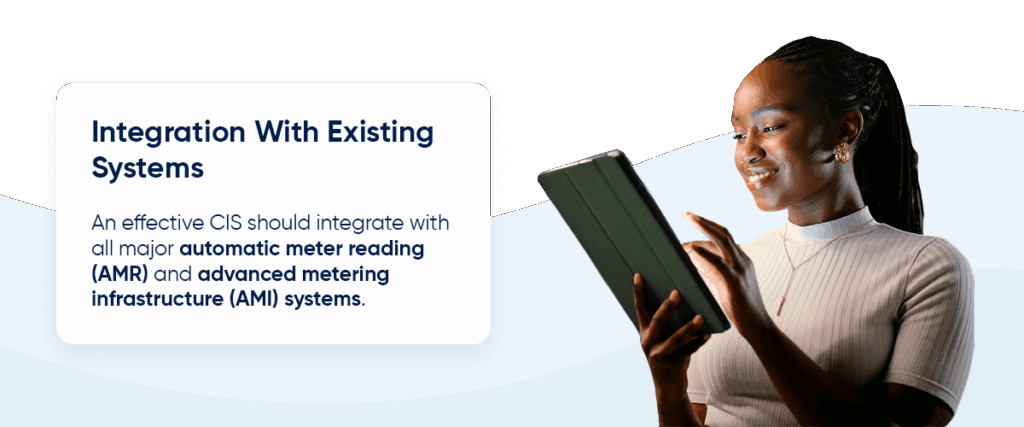
- Compatibility with your existing meter system and AMI/AMR workflow
- Accounting integration (or a clear export format your finance team can use)
- A defined process for data conversion and ongoing sync
- A written list of supported integrations and a method to request new ones
- To avoid manual file uploads and reconciliation, confirm:
- Cloud Security, Backups, and Disaster Recovery
- When selecting a new CIS, security is not a nice to have. Confirm:
- Encryption in transit and at rest
- Role-based permissions and audit logs
- Automatic backups and disaster recovery procedures
- Documented uptime/availability expectations
- When selecting a new CIS, security is not a nice to have. Confirm:
- Implementation Plan (Timeline + Ownership)
- Ask every vendor to spell out the implementation plan in plain language:
- Who migrates your data and validates balances?
- What training is included for staff?
- What is the realistic timeline from kickoff to first billing run?
- What support is provided during go-live?
- Ask every vendor to spell out the implementation plan in plain language:
- Support Model (The Real Cost of Ownership)
- Support is where most CIS purchases succeed or fail. Confirm:
- How support is delivered (phone, email, ticketing)
- Typical response times and escalation process
- Ongoing upgrades included vs paid version upgrades
- Whether you get a dedicated implementation or success contact
- Support is where most CIS purchases succeed or fail. Confirm:
- Proof (References and Results)
- Before you sign, request:
- 2–3 references from utilities similar to yours (size and complexity)
- A demo showing your workflows (rates, billing run, adjustments, and notices)
- A clear explanation of what is included vs optional modules
- Before you sign, request:
Evaluating Features
Because a CIS handles essential features like billing, service management and customer data, it’s essentially the foundation of your operations. Standard CIS features to consider include:
- Customer relationship management (CRM): A robust CRM helps track customer communication and history, improving your customer service.
- Billing and payments: Look for a cloud-based system that integrates with payment gateways and offers flexible billing options.
- Compliance: Ensure the system complies with relevant regulations and security requirements, such as data privacy laws.
- Meter data integration: If your utility uses an advanced metering infrastructure, make sure the CIS can handle real-time data.
- Reporting and analytics: Reporting tools help you track usage trends, customer behavior and revenue, improving your decision-making.
- Self-service portal: Online portals or apps that allow clients to manage their accounts and make payments may appeal to your customers.
Considering Scalability and Integration Capabilities
A CIS should grow with your business. Pick a system that can handle future customer growth, new technologies like smart meters and regulatory changes. This scalability ensures your system’s longevity, eliminating the need to replace it as your needs expand.
Your CIS should also be able to integrate with other systems your utility relies on, including:
- Enterprise resources planning (ERP) systems
- Meter data management systems
- Mobile workforce solutions
- Payment gateways
Testing the System’s Usability
Ask CIS vendors for a demo or trial to make sure the system is user-friendly for your team and includes all of your desired features. Bring team members from different departments onboard to offer insights into the system’s workings in real-world scenarios. Evaluate how easy it is to generate reports, process payments, resolve billing queries and search for customer information.
Assessing Training and Support
Part of choosing a new system is selecting a reliable vendor. You want to partner with a company that offers customer support, training and after-sales services. This way, you can mitigate downtime and create a smoother transition to the new CIS.
5 Steps for CIS Implementation
Implementing a CIS is a complex process, requiring you to work closely with your vendor to ensure success. It can be helpful to appoint a dedicated project manager on your team to lead the process alongside your vendor. Overall, you’ll need to migrate data from your previous system, set up new workflows and customizations, and test the system before it goes live.
These five steps can set you on the path toward successful implementation:
1. Set Clear Project Goals
Create a clear project plan that includes key milestones, timelines and responsibilities. The plan should cover data migration, system configuration, testing and training.
2. Migrate and Configure Data
Data migration is a critical step that transfers data from your legacy system to the new CIS. It involves cleaning and organizing the data to ensure it is up to date and accurate. You’ll have to map out how data from the old system will align with fields in your new system.
The system also needs to be configured to fit your unique workflows. This configuration can include feature customization, like customer service processes and billing structures.
3. Integrate the System With Other Applications
Next, integrate your CIS with your organization’s other systems, such as your AMI, ERP and payment gateways. This step will streamline your operations and help maintain data accuracy across your organization.
4. Perform Quality Assurance Testing
Before going live, the system should undergo thorough testing to confirm it’s been set up properly. The process includes verifying customer data accuracy, testing billing functions, running customer implementation, and ensuring integration points work. If issues arise during quality testing, be sure to address them properly before running another test to confirm they’ve been fixed.
5. Train Staff
Proper training is critical to successful implementation. All relevant staff, from billing clerks to IT professionals, should receive systems training, with ongoing training as the system evolves.
Once testing is complete and all staff have been trained, it’s time to go live. After you’ve launched your new CIS, monitor the system closely during the first few weeks to make sure processes run smoothly.
Partner With Muni-Link for Your New CIS
Selecting the right CIS is a critical decision that impacts your utility’s day-to-day operations and long-term success. By identifying your needs and evaluating vendors, you can find a solution that supports your business and enhances customer service.
Muni-Link offers billing software for cities and towns that simplifies customer communication. Our cloud-based solutions back up your data and secure it for when your team needs access. With Muni-Link, you get individualized attention, streamlined payment collection, real-time service tracking and numerous other beneficial features to support your organization.
Contact us today for a demo of our CIS utility billing software and experience a user-friendly solution that can meet your company’s growing needs.